Home » Archive

Articles tagged with: iPad

Written By: Gary on Tuesday, March 20, 2012 2 Comments

For an amazing device it’s got a few little things that make me cRaZy…

FYI, this is my iPad 3, but I think all of these things are iOS 5.1 iPad related, not “the new iPad 3″ related:

  • Why does the Photo App not let me send photos to the Message App? I can e-mail and tweet them. Plus I can pick photos from within the Message App. It’s a very big inconsistency between the iPhone and iPad platforms.
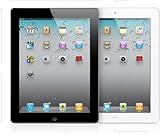
  • The number of Apps (or folders) on an individual screen on the iPad is 20, it’s laid out 4×5, until you turn it sideways then it’s 5×4 and most of the Apps are not in the same place any more! I know where it is but then it’s in a different location, I can’t find anything! Let’s make it 5×5 so everything can stay the same! Any there is definitely room, you can put up to six (6) icons in the dock at the bottom!Apple iPad 2 MC979LL/A Tablet (16GB, Wifi, White) 2nd Generation Apple Computer
  • Why isn’t there a Weather App? It’s not that the Weather App was amazing, it bothers me in that it means that there isn’t a weather widget in the notification pull-down; I never realized how much I used that!
  • Why didn’t they build Siri into this? It just seemed like a no-brainer to have put in it. I knew this feature wasn’t in there but still disappointed.
  • No Clock App. Which means no alarms or timers. The bonus of using this app was that the sounds even go off if the iPhone was muted. I used this all the time. And I used Siri for it all the time (“Siri, set a timer for 3 minutes”). I had no idea that wasn’t in there.

So since these all appear to be software related, I expect they’ll fix them all for me by the next iOS release, right?

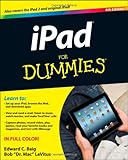
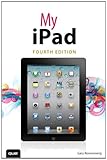
These are a few smaller complaints that I’ll mention (since I’m here anyways): My iPad (covers iPad, iPad 2 and iPad 3rd gen running iOS 5.1) (4th Edition) Gary Rosenzweig

  • No vibrate option for alerts of any type. This is minor but it was nice even if I had it muted, it’d slightly vibrate on the table. I knew this wasn’t in there, but I miss it.
  • No camera option on the lock screen. I’ve got a icon for a digital picture frame, but not for the camera?!?
  • Minor differences to the iPhone settings: iPad Sounds is hidden in General while on the iPhone Brightness is hidden in General. It just doesn’t make any sense (to me).
  • The Camera App doesn’t do High Dynamic Range (HDR). Assuming that’s only software, but if it’s hardware (and I thought it was the same camera, but different lens, as the iPhone 4).

P.S. Twenty items on the screen also means twenty items in a folder (only 12 on the iPhone), I love this part, but even the folders jump from 4×5 to 5×4 when you turn the iPad sideways.

Written By: Gary on Wednesday, March 14, 2012 No Comments

It’s a Kindle. That’s the number one point, Amazon seems to have the eReader market and I believe they’ll have it long term. And in case I’m wrong, I’ve got the Nook eReader App on it too (with several other eBook readers, Kobo, etc.). I think the price of this is subsidized on the fact that they hope to sell you movies, music and books.

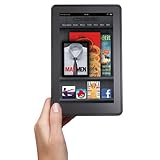
Kindle Fire, Full Color 7That said: This Apple FanBoy says the Kindle Fire is an AWESOME product. It’s a killer product for $200.

The number one thing for you to understand: The Fire is a LCD display, it is NOT eInk (the black and white viewable in sunlight display). The Kindle Fire has the same kind of glare as an iPad would have outside (have you seen the add with the guy and girl at the pool?). This display is backlit and can get washed out in bright light and uses lots of power (I’m not saying it’s not usable, I’m just saying it’s not a B&W Kindle), see the video below.

This ad that makes fun of the iPad glare is the same issue for the Kindle Fire,
you will have glare.

Flashback to (non-published) thoughts I had when I ordered it in September:

I don’t think it’ll be competition to the iPad – it’s not even close to being able to stand up and compare features one-to-one.
But, I think some people will get it and it’ll be “enough” for them to get by (and NOT purchase an iPad).

First off, I’ll say I was wrong with the first thought. I said over and over that this should NOT be compared to the iPad. But now that I have it, it should be totally compared, but compare it to the iPad 1 (since the iPad 2 has cameras). Think of it as the 7 inch iPad, but with only 8 GB of storage but Apple would charge $300-$400 for it.

Second item, that’s part of why I bought it, to hold me off from the iPad for another year, to get me to the iPad 4.

They do need to polish their eBook reader app on the Kindle, it’s not as nice as the black and white models (folders and sorting are missing). The reading experience is the same though. It’s actually not as nice as the iPad or iPhone Kindle reader (which just recently got some more upgrades).

It’s an excellent first try it feels like it’s the second or third tablet Amazon has tried, but they’re building on Android so I think that’s part of it feeling like it’s very complete.

This is great for e-mail, newsreader (RSS feeds), eBook reading, weather apps, Pandora, Zinio, The Economist, Scrabble, Overdrive, Mint, Stitcher, DropBox (for photos), YouTube videos and everything. I think it’s an amazing device. If you check your mail while you have WiFi, it’s accessible when you leave the WiFi area, you can even reply and it sends it when you reconnect.

But unlike the eInk Kindle, all the other applications were a distraction, I’d check my mail or the news or the web or Facebook. I didn’t read as much as I could have…

The biggest limiting factor: Amazon locking US out of the Android Marketplace and blocking many Apps from being loaded on the device. It’s inconvenient to work around to get other apps on the device.

2nd biggest limiting factor: They really need to work on the Kindle app some more to make it more like the EInk versions. Folders and syncing really needs to work better.

From a hardware standpoint it’s great, I wish they had a model with more memory or had an SD slot, but since the eInk Kindles don’t have an SD slot, I won’t hold my breath. I wish it had a mic, just for some VOIP or Skyping.

But it wasn’t an iPad, and I am an Apple / iOS fan, I’ve got iPhone apps and iPad apps I bought when on sale. I spent birthday money on pre-ordering the Kindle Fire in September (it didn’t ship until late November), in January I sent it back; combining the September refund with some Christmas money, I ordered the iPad 3 last week. I do fear the iPad will be too large, I really liked the form factor of the Kindle Fire. While the iPad 3 isn’t that large, the screen is almost the same size as my tiny MacBook Air laptop screen (just an inch or two along the long edge of the small MacBook Air).

Don’t let this change your mind, it’s a great device. I loved reading at night with no lights on, I think it helped me to fall asleep sometimes. And it’s only $200.

Written By: Gary on Tuesday, May 24, 2011 No Comments

Am I silly for wanting this?  It’s Seagate’s new GoFlex Satellite mobile wireless storage. It lets me have 500 GB of storage for my iPhone!!!

The 500 GB portable hard drive wirelessly connects to any Wi-Fi enabled mobile device, and can be used to store music, movies, pictures and documents of various types.Seagate GoFlex Satellite Mobile Wireless Storage STBF500101-Black Seagate

iOS users can then access that media using a free companion app from the App Store designed specifically for use with the GoFlex hardware. If you’re using an Android or other device, you can access your media using a web browser. The GoFlex Satellite can stream media to up to three devices at a time (great for family road trips), has a battery life of 5 hours of continuous streaming (or 25 hours in standby mode) and retails for $199.99.

via Mobile Technology News.

I read about this a week ago and just keep thinking I should order it!! I think more storage is just the geeky version of wanting bigger power tools!

Written By: Gary on Friday, May 20, 2011 No Comments

So I recently downloaded Onavo for my iPhone. It cuts down on your data usage by compressing cellular data on the fly. I guess it zips up the text and lowers the quality of images (I usually don’t notice, but sometimes I do) SprintPCS used to do this on their 1G(?) network and it was great.

onavo.jpgI’m getting over 50% overall compression. It’s free but it’s likely they’ll eventually start charging (so try it now, while it’s free!). But if you’re just squeaking by on a 250 MB plan, this could keep you from jumping up to the next plan at $10 more a month, I assumed it’d be less than $5 a month(?). Most apps it’s compresses 70-80%, others no compression and some others at 30-50%. It works on the iPad too. It’s compression on the downloading, not on the uploading. It says that it has no effect on tethering.

I love it! I actually think it speeds my data up (if it’s only pushing half of it around, but they aren’t marketing it that way). It doesn’t touch secure data and doesn’t appear to touch your mail unless you specifically enable it (and it has to be MS Exchange); it converts your e-mails to text, but I actually think that’s better on the smaller screen. I did just change my gMail config to use the MS Exchange protocol to test it out (Google does support this); I’m getting 50+% compression.

I have the data unlimited plan so this isn’t such an issue for me, but I might be tempted to pay for a international data plan next time I travel. Although, now that I look at the list, I don’t see Costa Rica in the list, I thought it was there before…

I’m grandfathered in on the unlimited plan with ATT, but I have friends considering the iPhone 5 (4s?) whom 250MB might not be enough, but 500MB could certainly be enough. Sometimes I think it might be eating my data more, but I’ve been forcing the phone to stay on 3G and not join any WiFi networks so that I can see the savings.

Written By: Gary on Monday, March 7, 2011 No Comments

So, I was really considering the iPad a year ago. I thought it looked amazing as devices go.
hands_pad.jpg

But I decided that “I think I’ll pass this time around” and “it doesn’t have a camera of any sort. Yet…”

Now it’s a year later and I think I’m ready to take the plunge. It’s faster, two times faster and the graphics are nine times faster (does the nine contribute towards the two?). It’s got the front facing camera and the 720p HD video camera.

What doesn’t it have? A lot of things, but I can get past those little things. But there are two things I wish it had: a higher resolution display and a smaller size. A higher resolution would have guaranteed that I’d purchase the top of the line, as it is now, I’m not sure what model to get. I also wish it were smaller, I could work with a 7″ version just fine.

What makes me crazy with Apple on these things is that the 16 GB model is $500, it’s a $100 more for 32 GB model (that’s $100 for 16 GB more) but it’s only another $100 for the 64 GB model, why is that 32 GB half the price? I need something extra for that first extra $100, like a flash or a better rear camera.

So it’s going to cost me at least $500 for the unit (up to $829), probably $100 in accessories (HD out, SD/USB reader and cover) and I’m sure I’ll pick up some applications (another $50) like: The Elements and while Solar Walk is iPad ready, it looks like I’ll have to re-buy Star Walk. I already pre-purchased some iPad apps, like Scrabble (so maybe I’ll get into that again) and SimCity when there were some sales or promotions.

And I’ll need the new iMovie. And Pages, Numbers and Keynote. There goes another $35. And probably Garage Band, even though I’ll never use it other than to show others how cool it is…

And I have to figure out if I want it in black or white. I’ll probably do the homage to the iBook and get it in white, if it’s available…

Written By: Gary on Sunday, October 31, 2010 No Comments

So a nice free video player came out for the iPhone (which also works on the iPad and iPod Touch) called VLC Media Player;
vlc-iphone.png
it’s the video player for Macintosh and Windows (IMHO).

What’s great about this program? It lets you play all sorts of video files on your iDevice without converting them first. The other bonus is that it lets you delete them when you are done, freeing up space for photos and video. It plays more than a few formats, but if you try some high-def Blu-Ray files it’s not going to have enough power to play them.

Here’s the problem, it might get pulled from the iTunes store due to some weird legalities*. So download it now. I actually think it’s been out for the iPad for a while, but it just came out for the

* Short answer with small words – The (source code) software is free and the program can must be freely distributed, but technically the iTunes app store puts on protection, so technically it’s not freely distributed, you must have an iTunes account.

Written By: Gary on Saturday, October 16, 2010 No Comments

So Verizon will start to carry the WiFi iPad and sell it with a MiFi wireless access point for $130 more. What’s interesting is that they’ll sell it for $20 a month for 1 GB of data (and no contract). This is an interesting pricing plan as AT&T charges $15 for 200MB and $25 for 2GB, so it’s an interesting sweet spot for the data. Apple iPad MB292LL/A Tablet (16GB, Wifi) Apple Computer Verizon’s next jump is $35 for 3GB and $50 for 5GB (see the FAQ). Plus, they’re legitimately buying them from Apple (and they sell them just with WiFi too). So you can use the MiFi with other WiFi devices too, but you’ll obviously use more data (duh!)

I just thought it was some interesting competition for AT&T…

Written By: Gary on Friday, April 16, 2010 One Comment
Categories: [funny] / Tags: [, , , ]

I thought this video of the cat playing with the iPad was pretty funny. Actually it’s pretty slow at the beginning, if you click here it should start a minute in the video.

Here’s the direct link to the Cat iPad video (in case I screwed up the links above trying to start them).

Written By: Gary on Saturday, April 3, 2010 No Comments

So I checked out the Apple iPad today. It’s very cool. I just have a hard time justifying one when I already have a MacBook and and iPhone. And I wouldn’t want it without the data plan option either (so their’s more money).

ipad-IMG_0042.JPG

It’s a beautiful piece of hardware and simple to use. If you’ve got family members you’ve never been able to get into computing (parents/grandparents), this is the device for them to use…

ipad-IMG_0040.JPG

I did make sure that I did not bring my $100 in Best buy gift cards. It was calling out to me, “Buy me!”, and I’d have been sorely tempted. Everyone who walked by was very interested.

The display of this web site was very good, you can click for (slightly) larger images.

Written By: Gary on Thursday, April 1, 2010 No Comments
Categories: [Apple, portable] / Tags: [, , ]

hands_pad.jpgNot much to say other than if you’re interested in the iPad, this is a good five minute review. They pack a lot of info into a few minutes…

If the video doesn’t show up above or if you want to watch it in HD then watch the iPad demo at Vimeo.

I’m not (planning on) getting an iPad. But I think if a store were open right now that had one, I’d be tempted…

Written By: Gary on Sunday, March 7, 2010 No Comments

How could you not want one of these? The ad makes it feels like it’s something out of Star Trek and that’s before they run the Star Trek movie promo clip!!

Direct link to the Apple iPad commercial. hands_pad.jpg

Actually, I think I’ll pass this time around. I’d ditch my iPhone if it were a phone, but really don’t need another device to carry around and I have a laptop. To get the GPS it sounds like you need the 3G card (otherwise it just uses the WiFi for an estimate). And it doesn’t have a camera of any sort. Yet…

  Copyright ©2010-2003 Gary Said…, All rights reserved.| Powered by WordPress| Simple Indy theme by India Fascinates

http://GarySaid.com/tags/ipad/ generated Thursday, April 19th 2012 at 11:30:06 am EDT (in 37 queries in 0.376 seconds).