Home » Archive

Articles tagged with: iPod Touch

The Apple iPhone but without the Phone.

Written By: Gary on Tuesday, May 24, 2011 No Comments

Am I silly for wanting this?  It’s Seagate’s new GoFlex Satellite mobile wireless storage. It lets me have 500 GB of storage for my iPhone!!!

The 500 GB portable hard drive wirelessly connects to any Wi-Fi enabled mobile device, and can be used to store music, movies, pictures and documents of various types.Seagate GoFlex Satellite Mobile Wireless Storage STBF500101-Black Seagate

iOS users can then access that media using a free companion app from the App Store designed specifically for use with the GoFlex hardware. If you’re using an Android or other device, you can access your media using a web browser. The GoFlex Satellite can stream media to up to three devices at a time (great for family road trips), has a battery life of 5 hours of continuous streaming (or 25 hours in standby mode) and retails for $199.99.

via Mobile Technology News.

I read about this a week ago and just keep thinking I should order it!! I think more storage is just the geeky version of wanting bigger power tools!

I saw the Hasbro my3D at the store yesterday and just had to have it. It makes for an interesting interactive 3D experience. Hasbro 362190000 my3D Viewer for iPod Touch and iPhone - White Hasbro CEYou need an iPhone or iPod Touch to use it and I think it works better with the newer ones that have the gyroscope built-in. But there are a half-dozen my3D apps you can get from the Apple App store for free and a few you can pay for; as of today five my3D apps are free and one is 99 cents and another is $4.99 (both have free “lite” versions). A few months ago, they were giving all the games away for free, so I grabbed them while they were free(!)

Sector 17 is the space game, looks pretty cool and is fun for the bit that I played with it. The image below is the two halves of the image that I was looking at alternating; if you can alternately wink at three-tenths of a second, it probably looks 3D to you.

sector-17-ani.gif

All the games have no more than two buttons to play (where your thumbs stick into the device), but you do a lot of head tilting and spinning around to make some of the games work. Sector 17 and 360° Sharks really require standing. Sector 17 has a “couch mode” but it’s a lot harder to play; I believe not having a gyroscope model if the iDevice is like playing in “couch mode”. My old first generation iPod Touch (I think it’s 1st gen) works with the few games I tried.

shark-360.jpg

They’ve got a pretty good thing going here, $35 for a hunk of plastic and a few games, plus they’ll charge you for more games in the future. At 99 cents, I’d probably buy most of them to try it out, at $4.99 I’d probably try the lite version until I was bored (for $4.99 the space game does look pretty cool).

There is a Teleport L.A. game (that is more for kids) on a pier in Los Angeles which is all 3D 360° that you can pan around, this would be cooler if it were the Grand Canyon, the Moon or the Pyramids! And there is another more kid-like game called Bubble Bolt that you can roll around in a hamster ball collecting points. The iamge below is how is it looks on your iPhone screen.

teleport-la-both frames.PNG

A game called ShatterStorm is like the classic Tempest, but I thought it was a little hard to control. Spinning my head around like I did the controller back in the ’80s just doesn’t work for me.

There are separate snap on trays trays for different iDevice models (they could be labeled better) and there is a open cutout for the camera on my iPhone 4, so some interactive 3D VR type games are a possibility!

Pluses:

  • I don’t need my (reading) glasses to use it.
  • It’s 3D and 3D is cool!

Downsides:

  • I have to remove my iPhone from the case to use it.
  • Lots of game load times, these programs are very large (one was 500 MB!) and they have lots of loading time between levels and menus.

  • The default volume for the music in the background is very loud (it drowns out the game sounds), but it’s all adjustable (and so is the sound effects volume).
  • The games seem to work better if you have the model with the gyroscope, it’s more intuitive; you just look verses tilting your head. Although some games like the Tempest clone are just tilting your head left or right.

It’s actually cheaper shipped on-line (via Target at Amazon) then at the store (I paid $35), I asked at the counter but they wouldn’t match their own price (“that’s just to compete with other on-line services”), but I guess it didn’t matter, I bought it anyways. The plastic part will come down in price, they actually have a unique code on the viewfinder you need to input (one time) into a game before you play it.

UPDATE: And as of the update a few minutes ago, my3D Sector 17 started working with Apple’s Game Center. Also, this app has shrunk in size (from 434MB to 270MB).

Written By: Gary on Sunday, October 31, 2010 No Comments

So a nice free video player came out for the iPhone (which also works on the iPad and iPod Touch) called VLC Media Player;
vlc-iphone.png
it’s the video player for Macintosh and Windows (IMHO).

What’s great about this program? It lets you play all sorts of video files on your iDevice without converting them first. The other bonus is that it lets you delete them when you are done, freeing up space for photos and video. It plays more than a few formats, but if you try some high-def Blu-Ray files it’s not going to have enough power to play them.

Here’s the problem, it might get pulled from the iTunes store due to some weird legalities*. So download it now. I actually think it’s been out for the iPad for a while, but it just came out for the

* Short answer with small words – The (source code) software is free and the program can must be freely distributed, but technically the iTunes app store puts on protection, so technically it’s not freely distributed, you must have an iTunes account.

Written By: Gary on Thursday, September 24, 2009 One Comment

What I don’t like about my Bluetooth earpiece for my iPhone is that it only streams audio from the phone calls. Why Apple (all cell makers) don’t let you use BT audio from other parts of your phone, I don’t understand. I have a pair of semi-bulky BlueTooth stereo headphones that and they stream the iPod music, podcasts, sound effects from games, and everything (but they’re bulky). My normal bluetooth earpiece just fits in my shirt pocket for when I’m not using it so I rather use that. The trick is to find an earpiece that supports A2DP.

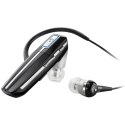
Plantronics Voyager 855 Bluetooth Headset (Black) PlantronicsI decided on the Plantronics Voyager 855 Bluetooth Headset for three reasons: they were inexpensive, I’ve had good experience with Plantronics in the past and they came with a second earbud (earplug?) for your other ear if you want stereo sound.

So now I can listen to podcasts or news (or whatever) while waiting for something (doctor appointment, a movie to start, anything) without having to cover both ears (and not have to carry anything big around to do it). The same goes for videos or watching YouTube. Or if I’m playing a game I’ll still get sound, it’s nice to have audio feedback even for simple puzzle games, but especially for puzzle games. Your device must support A2DP for audio other than phone calls.

I think my main uses for this will be phone calls, listening to audio (books, The Economist and podcasts, streaming some radio) and some games. I can walk pretty far from the phone when listening, when I head upstairs (most amount of wall/stairs interference) it cuts out a little, but once I’m upstairs it still sounds great.

I think I’ll rarely plug in the second earpiece but I’ll keep it in my computer bag just in case. It’d be great if I knew I was going to be somewhere loud, but it might be too loud for them to hear me. Obviously I can use these for music, but I rarely listen to music via headphones, I generally listen to music at home or in the car, but I guess I now have the option (sort of).

The packaging was very nice, I couldn’t believe these were a $35 from from the box. In the box was a nice manual, not some teeny tiny thing that you’ll never find again. The BT headset, a nice carrying bag, two ear loops, 3 different pairs of ear gels (plus a weird pair foam ear pieces), a wall plug charger and some weird strap (unidentified in the manual) to dangle it from your neck (like a neckless, I guess).

So this BT headset gets a two thumbs up from me. No real minuses on the headset at all, but this is my first few hours of use and I really enjoy them so far.

I’ll probably do a follow-up in a few days, so if you have any questions, leave them in the comments.

Written By: Gary on Thursday, September 10, 2009 No Comments

So if you have any older iPod or iPhone accessories or chargers many of they don’t charge properly. I’m not sure what they changed but it’s a pain when it’s a nice speaker dock or your car stereo won’t charge our battery (and instead drains the battery).

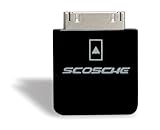
Enter the Scosche Charging Adapter for iPhone 3G, iPhone 3GS, iPod touch 2G and iPod nano 4G! This device plugs in between the cable and you iPod of iPhone. I plug my iPhone into the adaptor and then into the cable in the car and now I can listen and charge my iPhone. So I can actually stream audio over the air (network) and pipe it straight into my stereo in my car, it’s awesome!

I’ve picked up the adaptor for $24.99 at Amazon. They also make an adaptor that plugs into some docks/stands that does the same type of thing (available in black or white).

It was well worth it for me, I think my car stereo is less than 18 months old so I didn’t need a new one and they’d probably have charged me at least $50 labor just to run a new cable (assuming Alpine even makes one for my stereo, which I couldn’t find). So this was a no-brainer.

If it’s a short ride and I’m just listening to the iPhone via the iPod application then I don’t use the adaptor so that I’m not just charging for only few minutes. I try not to charge my phone (or any device) if I’m really not going to need it, the iPhone is probably only good for a certain amount of charges so I try not to waste the number of charges.

FYI – In my experience plugging the Scosche adaptor into the iPhone first before the other device works better; otherwise (at least my car stereo) sees it as 1/2 an iPhone and gets confused.

Written By: Gary on Monday, July 20, 2009 No Comments

I mentioned the anniversary of the Apollo 11 Moon landing earlier today. Here’s a few other “space” things that caught my eye:

themoon.jpg

  • Apollo 11 restored HD video.
  • Send your name to Mars and get a certificate.
  • For your iPhone and iPod Touch get SkyVoyager and SkyGazer for free today (normally $17.98 combined).
  • Photos of the Moon landing sites from the LRO.
  • And Google has added the Moon to Google Earth (desktop application).

  • That’s it for now. Please post any recommended links in the comments below.

    Photo courtesy of Wikipedia.

    Written By: Gary on Tuesday, June 16, 2009 One Comment

    tweetdeckiphone.gifSo in my attempt to start using Twitter more I installed TweetDeck today. Coincidentally, later on today they also released a free iPhone/Touch version of TweetDeck today which will sync with your columns (you need to download the new desktop version for the syncing). Syncs with multiple desktop clients too.

    It seems like a great iPhone/Touch client even on it’s own: Take photos and immediately post to Twitter (via TwitPic etc.), shake to refresh, reorder columns.

    tweetdeck.pngAnd TweetDeck appears to support multiple Twitter accounts (I don’t think that feature was in there earlier today).

    Later: Looks like it only syncs columns you create after installing the new version. At least that’s the only way I can get it to work. And I manually had to sync, it doesn’t seem to be persistent, but I’m not changing my columns that often so no problem for me. (I relaunched to test but still no joy, maybe I just need to wait?)Not getting any syncing between my “columns”. I think I’m doing something wrong(?).

    Even Later: So the iPhone version is syncing when it loads today (it was not doing this yesterday); it actually asks before adding a column. But the desktop version (for Mac) isn’t asking me to do this.

    Written By: Gary on Friday, May 22, 2009 No Comments

    Assuming we get new iPhones at the WWDC in early June, I’ve got a few guesses. June 9th is when it’s assumed Apple will release the new 3.0 Operating System and announce (or release new phones). I think the upgrade is supposed to be free for iPhone users but not for the iPod touch users; I find this completely bizzaro since I think you’ll need it to purchase applications, so Apple is cutting out their market of potential iTunes App sales.

    Apple iPod touch 16 GB (2nd Generation) Apple ComputerThey could just announce new phones, but people’s contracts are running out so I assume they’ll have something to release or announce with product in the next few months (there are July 17 rumors too, but it could just be the same rumor re-tweeted over and over). I’m just talking about features for the physical phone, the software has been out in beta and I don’t think there will be too many surprises there.

    1) I think we’ll get a new phone with a new camera. It’s never had the best camera and rumors say Apple has been buying 3 MP and 5 MP chips. I’d really hope it’s the 5 MP as the main camera, but sadly I’m not sure what else they’d use the 3 MP chips in. I’m assuming this would also allow you to record video. But 3 MP is pretty low when you consider the quality of everything else that goes into the iPhone.
    2) I’d love it to have two cameras, one on the back and one of the front for video-conferencing. I don’t think we’ll get that with this refresh (maybe on ‘the iTablet’?), but if they offer it, I definitely pick up that model.
    3) I think they’ll start offering an iPhone with more memory, they’ve had more memory in the iPod Touch (up to 32 GB v.s up to 16 GB)for a while so this is a no brainer (IMHO). But will they stop at 32 GB or go all the way to 64 GB?

    Other stuff:
    Lots of rumors on a faster processor and if Apple wants to make this a gaming machine it needs a little more power. Rumors indicate faster chip purchases, but these could be for ‘the tablet’, but then again maybe they need it for the rumored video recording capabilities.

    Apple iPod touch 32 GB (2nd Generation) Apple ComputerI feel if Apple starts releasing very different model iPhones, people will start getting confused on which models to get. So far the only difference has been color (do they still make the white?) and storage. If they try keeping a cheaper model with less features, a mid-range with with a better (or two) cameras and another with faster processor will just confuse the masses. Even more confusing if each higher step doesn’t include every feature of the “lower” models. Nothing says “don’t buy” more than confusion between models.

    And speaking of the iTablet, which I think will be more of big iPhone/iTouch than a low power tablet or netbook computer, I’m not sure why the iTablet would need a better camera than the iPhone (I’m really hung up on the 3 MP / 5 MP chip rumors). I’d like the tablet to have to ability to be a phone to use my SIM chip from my iPhone for data. They better not release a tablet with a phone from a competing company so I need to buy another plan for wireless data for this other device.

    So I’m ready to transition to the iPhone, I’ve been playing with the iTouch (yes, I know it’s an iPod Touch) for a few months and I need the data “on” all the time. As long as they announce a way to tether my laptop to the Internet via the phone, I’m in!

    Written By: Gary on Thursday, May 21, 2009 2 Comments

    Argh! Haven’t been this frustrated in a very long time…

    The last 24 hours:
    - I can’t sync my calendar items and address/phone numbers between my computers, MobileMe and iPod Touch.
    - My main Windows machine won’t reboot, keeps resetting. Think the hard drive went.
    - Accessing/syncing to my AppleTV is goofed up (that’s minor, unrelated and hacked so not an Apple issue)
    - My cell phone keeps saying international roaming when I’m at home (it’s Sprint). I’m not that close to the border of Canada/Michigan.

    I’ve spend more time with tech support the last 24 hours than the last 24 months. I’ve been escalated multiple times at Apple and not getting any closer. And after all the changes at my end I’m leaning towards it’s going to be a problem at their end so then I’ll have to get everything set back the way I want (a few hours ago, I’d have said 100% sure at their end, but not so sure now). They say this is a new problem and since we’re pushing 4 hours today I’m hoping it’s a unique problem (for their sake).

    And I’ve wasted another sunny day :(

    Written By: Gary on Tuesday, May 12, 2009 One Comment

    I got way overwhelmed with my RSS feeds, I’ve got gobs of them (almost 300). Many of those feeds don’t get updated more that once a month (if ever) so they really don’t impact the list, but a dozen or so update 2-4 times a day. Plus, I recently added everyone coming to WordCamp Chicago (list of attendees) another 100 or so feeds; I’ll prune that down later.

    I’ve been over a 1000+ unread items for ages and even when it gets back to 700-800 it just jumps back up! Lately , no matter what I do, I can’t even get it under 1000, so I cleared out all my posts. And started over…

    THey really need a way to click a button to ‘mark all posts older than __ days as read’ and that would help with when it gets full.

    Hopefully I’ll do better catching up in the future.

    I’ve got the feeds syncing with my iPod Touch (but if I’m not of WiFi there are no images, which makes some feeds useless) so maybe that will help. I use Doppler (you can try Doppler Lite for free).

    I’m really looking for an off-line Google Reader the includes the images for off-line viewing, any tips? Other than storage space, once you’ve written the reader the image caching doesn’t seem too hard, but it still eludes me….

    Written By: Gary on Wednesday, May 6, 2009 One Comment

    Testing the WordPress Client for the Touch and iPhone.

    A few extra features with editing categories and pages, but I can’t figure how to use a current category. You can publish or keep local drafts too. Looks like it will post more than one photo (unlike iBlogger).

    Sample screen below…

    I like this, it’s free and it appears to work well off-line. It supports multiple blogs. It attaches the photos at the bottom but I think after posting it, you could easily edit the html (while still on the handheld) to move it. Still not sure how to use an existing category. I like the ability to publish drafts so I can possibly edit them on the computer before finally posting.

    It also lets you approve/spam comments! This is a great feature!

    (By default this showed up in the “uncategorized” category, but then it showed that cattegory so I changed the category to “blogging” )

    Written By: Gary on Wednesday, May 6, 2009 No Comments
    Categories: [Apple, blogging] / Tags: [, , , ]

    image1328246471.jpgThis is a test from my iPod Touch.

    The edit screen looks like this:

    Mobile Blogging from here.


    Doesn’t want actually post the tags that I manually typed for the post (while categories work fine). For some reason it seems to crop a photo to a square and only lets you use one photo. Works off-line okay. It’s pricey at 9.99 but works with multiple blogging systems and multiple blogs.

    Written By: Gary on Sunday, December 14, 2008 No Comments

    I really like the way Apple did this iPod Touch ad.

    I couldn’t see it when I went to http://games.yahoo.com/, I assume I need to be running Windows? I tried Safari and Firefox.

    Here’s the direct link. I found this at MacRumors.

    Written By: Gary on Thursday, September 18, 2008 One Comment

    So I saw this preview for Trism a few months ago, it looks like a cool game and shows where some games are going with motion sensors in the game unit itself.

    Looks like a fun smart thinking game, I’d probably buy it if I had an iPhone or iPod Touch, it’s only $4.99.

    But that’s old news, why am I bringing it up today? Because Steve just tweeted that since July 11th (10 weeks ago) he’s made $250,000 from the iPhone Apps Store!!! I’m assuming that’s before Apple’s cut, which I think is 30%, but that shows that innovation (and fun) sells. Plus, the Apps Store make it easy to sell your product and also makes it hard to steal your product (you can only download and install from the store). (Robert Scoble pointed that tweet out in his feed)

      Copyright ©2010-2003 Gary Said…, All rights reserved.| Powered by WordPress| Simple Indy theme by India Fascinates

    http://GarySaid.com/tags/ipod-touch/ generated Wednesday, April 25th 2012 at 12:45:15 pm EDT (in 40 queries in 0.886 seconds).