Home » Archive

Articles tagged with: Apple iOS

Written By: Gary on December 18, 2012 No Comment

When I first saw the Doctor Who EncyclopediaI was super excited, it was by Gary Russell and published by Random House and the BBC but it was a little pricey at $6.99 and it only included the eleventh Doctor Who (Matt Smith). The ninth and tenth doctors were an additional $6.99 each(!) for a total of $20.97 for the whole thing. They experimented with pricing up and down with the modules at different prices, I think $8.97 is the cheapest I ever saw the whole thing for.

doctor-who-encyclopedia.pngThat’s all changed now! It’s back up to $6.99 but it has been updated to include the first half of season seven (through September 2012) and now includes the tenth and eleventh doctors (Christopher Eccleston and David Tennant) as part of the price.

Actually, if you purchased it before (at any of it’s price points) you now have the whole package with today’s update. So now it has all of the episodes from 2005 on, from The Doctor meeting Rose to the season halfway point with the departure of the Ponds / Williams.

So here’s the thing, it’s pretty neat, but it’s not awesome. I think it needs to be a little more intuitive, but it’s got a lot in it. When I say a lot, I pretty much mean everything! If you tried it a year ago, I think they’ve improved the interface a bit. It’s got a references to almost every character and object and place that has appeared. If you’re a fan and you’ve got an iPad it’s (probably) a must get.

If $6.99 seems a little high, then go over to appshopper.com and set up an alert to mail you if the price goes down. Now that they have all the new episodes integrated into it, I don’t really see that happening for a while, and probably only a dollar or two; remember right now is still $2 cheaper than the cheapest it every was before (and it was as high as $21).

They say they’ve updated for iOS 6 and the iPad mini too, so if you’ve had any problems this update might fix them.

Written By: Gary on November 23, 2012 No Comment

The Early Edition 2 works OFF-LINE for news reading!!! You don’t need WiFi to use it, just to sync it! So if you have the data plan (or even if you don’t have a data plan), you can sync beforehand and not pay for any data! This pre-caching makes it really fast to use, it’s slow at the beginning when it’s pulling stories and images down, but once it’s down , you don’t have to wait for a thing. Even if it didn’t have this feature, it’s great for news reading of any topics you might be interested in.

And it syncs with Google Reader, I haven’t tried that yet. (I should, I use Google Reader all the time). I think the choices are GoogleReader or stand alone, no integration.

early-edition-2.jpgI love this app, I can’t decide if it’s #1 or #2 of my favorite news readers. But this is the one I use sometimes when I’m in the house, but all the times when I’m out the of the house. As I put my iPad in the sleeve, I run Early Edition 2, so it syncs with my WiFi as I’m heading out, then when I get somewhere, even if they don’t have WiFi, I have pages and pages of things I’m interested to read on my retina iPad. If you want to do this, be sure to set the settings for “Preload Images” to “ON”, or else you won’t have any images there and under “General” I set “Autofetch Options” to run “Every Launch”. (I set my “image frequency” to “Most”). There are separate settings for 3G (I assume that include LTE, 4G and HSPA+) so that it doesn’t automatically fetch and cache images.

It’s got settings for “Unread” news, “Today” or “All” news. I use “Unread” and in the settings I have it set to ‘if I see the headline, it counts as read’. So if I see something interesting, I have to read it then (or star it for later).

early-edition-2-page.jpg

It’s got great sharing options: Twitter, Instapaper, Readability, Facebook, Pinboard, Delicious, RedItLater and Evernote. I’m not on-line, I just mail a link to myself (I always forget if I star something off-line if it remembers it for later).

My biggest complaint: When reading an article I click it to go full screen (you have to or you don’t see enough) and I can swipe for the next article (if I want it). BUT to close an article I have to move my finger to the very tippy-top of the screen and click “done”, it needs something different (double-tap on the white space or anywhere that isn’t clickable) to close an article.

Downside on the setup: It’s a little awkward to manage your sections. Once you learn it, it’s okay, but it takes a little bit. It’s worth it though!

$4.99 is a little pricey though. I think it’s worth it. It goes on sale occasionally (but not often and not for long)

Written By: Gary on November 21, 2012 One Comment

Many Electronic Arts games are way on sale today. Their annual Thanksgiving sale seems to be the best year round, it may last throughout the weekend; no promises for how long it will last, so get them before it runs out. scrabble-badge-notification.png
I listed some of the most popular ones that are $0.99, these games go on sale occasionally but never cheaper than this. Scrabble for iPad is often between $4.99 and $9.99, so 99 cents is a great deal.

Personally, my favorite is Scrabble, which will connect to Facebook play against the computer or you can play multi-player and use other iPads, iPhones or iPod touches as tile racks, local network play and it supports GameCenter (but I’m not sure how that part works). I occasionally pull out Boggle too, which is way easier to play than in real life since it knows if the odd words are actually words. The classic game SimCity (the Sim before all others!) is pretty great too!

I see Scrabble for Kindle is 99 cents, they might be on sale for your Android devices too, so check out your on-line store.

I own many of them but the only ones that have gotten a real bit of play is: Scrabble, Boggle, Lemonade Tycoon and SimCity.

What Electronic Arts games do you play?

Written By: Gary on August 21, 2012 No Comment

What’s the cost difference between purchasing an iPhone and an iPad? Not just the cost but what are you missing between one product and another. We’re going to talk about price first, but you need to remember an iPhone is not $199, it’s $649 for an unlocked world phone. A subsidized iPhone with a contract is $649. We’re talking prices of the latest models with 16GB (the lowest). On one hand, why would you buy an iPhone without a plan? But on the other hand, why would you buy an iPad with cellular and not activate it? But if you need a smartphone with a data plan anyways, you’re really only going to pay $199, but it’s not fair for me to compare those numbers.

Why am I focusing on this aspect of the pricing? Because if people see an iPhone (with contract) for $199 and last years iPad for $399, it just seems obvious that they could make a $299 tablet in-between the size. But when you compare a $199 8GB iPod Touch and a $199 16GB iPhone (with lots more features) it doesn’t’ seem so clear.

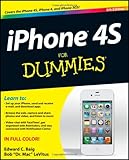
iPhone 4S For Dummies Edward C. Baig, Bob LeVitusSo right there, the prices are remarkably similar: an iPad with cellular is $629 and the iPhone is $649, pretty much the same price. That’s interesting when you consider the screen size of the iPad is more than four times the size of the iPhone and the battery is pretty huge too.

What other differences do we have between the two models: the camera flash (not on iPad), the vibrator for alerts / calls (not on iPad), the phone (not on iPad), battery life (I think the iPad has much longer life), camera on iPhone better than iPad (not sure if iPad lenses are as nice as iPhone), digital compass (not certain, but not listed in tech specs for iPad) and maybe a few others I missed. All these differences have been there for the last several years, not just the latest models. While the specific number of mega-pixels changes, the iPhone camera has always been better. I’m specifically not talking about LTE as a difference as it’s expected the Fall 2012 iPhone (6) will have this feature and the phones (and iPads) have stayed at the same prices for several years.

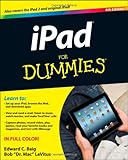
iPad For Dummies Edward C. Baig, Bob LeVitusFrom an electronics cost standpoint that screen and battery have got to cost a lot more for the iPad. The iPhone has all those features, but none of them seem super expensive; don’t forget the IPhone does require the additional electronics for making a phone call, but you can get that (and vibrate) in a $19 pay as you go phone. But still, it seems like the pricing is quite similar. So is the iPhone overpriced or is the iPad underpriced?

If you drop the cellular for the iPad it goes down to $499, but you lose the cellular and the GPS. You can still get the 16GB iPad 2 for $399, but it’s got the non-retina display and the cameras aren’t as nice.

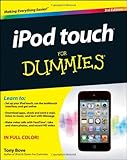
Switching gears a little: Let’s factor in the iPod Touch, it’s more of a poor iPad Jr., but it’s only $199 for 8GB ($299 for 32GB). iPod touch For Dummies (For Dummies (Computer/Tech)) Tony BoveIt’s got the same size/resolution screen as an iPhone (but it’s not as nice quality, contrast, or brightness, and no oleophobic coating), it’s got significantly lower quality cameras, no GPS, no vibrate, and no compass, but somehow they make it for $199 (it didn’t get a refresh of any significance last year, but these specs are still below the previous year iPhone). Still a lot of power for $199 (I think it used to be $229 or $219).

So what does that mean if the rumors are true and they make an iPad mini? For $299 can they decrease the size of the iPad 2 screen / memory or (depending on how you look at it) increase the size of the iPod Touch? I think so. I don’t know what that says for what they’ll do about camera quality, but I really think they can make a smaller 7-8 inch tablet for $299. They can’t go much higher without getting too close to the $399 iPad 2 pricing and they want to stay closer to the other tablet pricing (the Kindle Fire is $199). If they could go $249, they’d have the market (IMHO), I don’t see them going to $199 unless they have some way to subsidize an iPad Mini (data, video, etc).

Back to comparing the iPhone and the iPod touch: It’s really really hard for me to see the price jump up to an iPhone for $649 (to compare fairly, the 32GB iPod Touch is $299 and the 32GB iPhone is $749), that’s $450 more for cellular, GPS, vibrate, nicer screen, nicer camera, compass and a bigger battery. I could probably buy a Kindle Fire, GPS and camera for $450 (that’s 3 more screens and 3 more batteries) and integrating them would certainly be cheaper especially since Apple is already doing it with the iPhone, so production costs are already reduced.
I’m assuming R&D, manufacturing and shipping costs to be proportionately similar between these devices. But with such similarities between these products, I assume there is lots of savings too.

And back to the iPod Touch: I do think this means an update for the iPod touch, price drop (or both) or removal from the product line (or rename it the iPad Jr.). I don’t see the removal as being likely, it’s a good way to recruit younger kids into the iOS family. For a while it looked like they might make it into a gaming machine but that marketing disappeared after a while. Last year got a while iPod touch, but the breakdowns revealed very little compared to last years models.

Did I leave any differences out? Anything else I should mention in regards to hardware?

Written By: Gary on August 1, 2012 No Comment

Apple quietly put in BlueTooth 4.0 into it’s last few iPhone and iPads and most of it’s recent laptops and has barely said a word about it. What makes BT 4.0 so different? Part of it is Bluetooth Low Energy (BLE), it uses much less energy than the previous BlueTooth options (and can go farther).

170px-Bluetooth.svg.pngSo it’s been almost a year since Apple put BT 4.0 in the iPhone 4s and they haven’t really done anything with it. I don’t think they’ve even done new versions of the Wireless Keyboard or the Magic Trackpad. Apple, when you do update these place make it easier to keep them turned off, I hate when my keyboard in the trunk of my car gets bumped and turned on and then I can’t type on my iPhone or iPad since they’re connected!

Rumors have been crazy for the last few years that Apple is going to do some kind of “use your iPhone to pay for things” option. But the rumors keep inferring that they’ll add something to the iPhone for this (NFC – Near Field Communication). My opinion is that this is incorrect, they’ve already got a wireless option in the iPhone, Bluetooth 4.0 (or they’ll use one of the wireless chips already in the phone).

Why do I think this? Because if they want people to adopt a system in stores and businesses to use the iPhone, they need many many users out there using this. Well, this fall they’ll have the iPhone 4s and the iPhone 6 will all have this feature (and nothing to stop them from adding this to the iPhone 4). It’s also likely that these three phones will be the all that will still be sold by Apple and it’s carriers (just like now at $0, $99 and $199). How’s that for an established user base?!?

The biggest concern is that Bluetooth data travels much much farther than NFC (many feet compared to several inches), but Apple may have a way around that (I’m not sure if they. I’m not even really sure why they want/need a wireless technology for this. My Mobile SpeedPass and my tap option on my credit card does almost the same thing, it just needs to be a little closer to work (yes, those are older technologies and probably need to be updated and more secure).

PS – I don’t think I’m supposed to capitalize the T in Bluetooth

Written By: Gary on May 5, 2012 No Comment

This stellar planetarium in your pocket is an application called Star Walk, and it’s only 99 cents on the iPhone, this is normally $2.99 and worth it for the price (the cheapest I’ve ever seen). It’s also available for the iPad for $1.99 (which is much cheaper than the usual $4.99).

starwalk.pngThis is listed as a Mother’s day sale so I’m not sure when it’s ending, that’s not for a week (right?!?) and that would be a long sale (unless they got their weeks mixed up!).

I did a much longer Star Walk review a year ago with many screen captures and a lot more information that you’ll have to read for all the details.

This is a planetarium in your pocket. If you device has a the GPS and gyroscope, you just tilt it up at the sky and it will identify what you’re point it. It’s awesome! There are some similar products, but I think this might be the most polished.

Other than some small bits of information (and the space image of the day) you DO not need to be connected to the internet to use this information. So this is useful anywhere you can see the stars!!!

Written By: Gary on May 1, 2012 No Comment

Last week I announced their Birds app as 99 cents, the price has gone up but many other related apps have dropped in price. See the Audubon apps by Green Mountain Digital.

Audubon Birds Field Guide for iPad and iPhone is only $2.99 cents! The second best price ever they’ve ever had. This is their 606 MB huge book (app) that’s is normally $19.99. audobonbirds.png

Another interesting choice is the deluxe Audubon Guides – A Field Guide to Birds, Mammals, Wildflowers, and Trees for only $14.99 this is normally $39.99 (but occasionally on-sale for $24.99-$19.99) and this combines their four main apps (books?). But this huge multi-book app weighs in at 1.3 GB (that’s a big chuck of space if you’ve only got an 8GB iOS device).

If you want to see what these apps are like, the North American Owls app is free!

If you’re looking for Butterflies, Insects or Fish (or Tropical Fish), those are on-sale too!

This is one of those deals you should pick up even if you’re into birds/nature/etc. and thinking of getting an iPad or iPhone in the future (assuming you’re interested in birds/nature at all). It’ll be hard to beat these prices.

FYI, I think most (except the Owls?) run natively on the iPad and iPhone, but please double-check before buying!

And the 5 Audubon apps/books available for Android on on-sale at Amazon too.

Written By: Gary on October 18, 2011 No Comment

It’s really more of a history of entertainment and communications technology and how it grew (or shrunk) into the iPhone. The iPhone part is pretty small overall (it’s not just an Apple video).

CNET UK Presents: History of the iPhone from Drew Stearne on Vimeo.

history-iphone.pngI thought it was a good introduction to technology video and pretty easy to follow. Lots of text and it moves pretty quick, you’ll want to make it full screen to read the details (pay attention to the prices!).

Written By: Gary on August 4, 2011 No Comment

I love the camera on the iPhone, while it’s not the best digital camera I’ve owned, it’s always with me and it’s lots better than others that I’ve owned*. I’ve taken well over 400 photos in the last two months (actually it’s got an okay flash, a digital zoom, tap to focus, HDR (High Dynamic Range) and a huge screen. And don’t forget that it’s also a HD 720p video camera, for a while it was the best video camera I ever owned (and the only one with a light). Factor in that you can upload (Flickr, YouTube, FaceBook) and e-mail photos / videos instantly, it’s pretty amazing. That’s not even factoring in optional photo and video editing apps.

flowers-IMG_0877.JPG

I actually chose the HDR photo because of the additional detail from the water droplets. While I like the color of the flowers I actually like the color a tiny bit more in the non-HDR version. HDR on the iPhone (almost) instantly takes several photos at different settings to brighten the dark spots and darken the bright spots, giving you a wider range (they do take longer to save).

So these are some flowers out in front of the school where I work. I thought they were looking pretty good for no one really maintaing them in the summer (it’s a student project) with the whacky weather we’ve been having (melting or flooding) so they became the focus of today’s 31 photos in 31 days photo.

reg-zoom-flower-IMG_0876.png hdr-zoom-flower-IMG_0877.png

Above you can see two photos zoomed in on the same area, notice the additional detail of the water droplets on the right had side of the image when you compare the two (image on the right is the HDR version).

So it’s a great camera and I’m always taking pictures with it, even when I have other cameras with me.

* My iPhone is a hundred times better than the first digital camera that I owned, a $600 Casio QV-10 in 1996 (world’s first digital camera that includes a TFT display), which was 640×480 (iPhone 4 has 2592×1936 pixels) and had a proprietary graphics format that you had to convert to JPEG. This camera had no flash, no real zoom and ate AA batteries like they were candy. A feature it did have was that it had a video out; I remember taking pictures at a wedding and hooking it up to a huge projector that happened to be at the reception for some other kind of slideshow, I was the hit of the party (and the photographer said he was going to go get one for his next wedding).

Written By: Gary on June 22, 2011 No Comment

So when driving during rush hours, I listen to WWJ 950 AM for traffic reports on the 8′s. But the don’t get a chance to report every problem every report and sometimes I miss the last report as I’m walking out the door. So I also subscribe (for free) to Traffic.com (which is run or sponsored by NAVTEQ) and they send me text alerts during the time frame that I select (Usually about the hour before I need to be there). Usually if they don’t send me one, the ride is pretty good, so it’s been very helpful. If they do send me one, I pay attention to the on-ramp before I get on the highway or if they say it’s really bad, I’ll take an alternate route.

traffictext

It’s just traffic for the expressway part, and they think I have 9 minutes on the express way and there is a 2 minute delay (total 11). I think they’re being generous, my experience is to double or triple the number they use for the delay; plus, it’s never 9 minutes on the expressway unless it’s the middle of the day or late at night.

As you can see there is a number to call and there is also a mobile web site at mobi.traffic.com, but I’ve never used those. For me, the text is just enough to tell me that if I’m in a hurry that I might have some delays. But I have a relatively short ride, when there is no traffic, it’s just during rush hour that it stinks, and I’ve got limited options.

They’ve also got an Traffic.com iPhone app (and an ad-free version for $3) and one for Blackberry.

I can see my routes (from the web site) on the iPhone app and it tells me how bad the traffic is. This is helpful for routes that I take often, but not often enough to where I want text messages. I use this for for a quick glance when heading to the doctor’s office after work so that I’m not late.

The thing is, when it texts me, I remember; when I have to look at the app, I forget…

Written By: Gary on May 24, 2011 No Comment

Am I silly for wanting this?  It’s Seagate’s new GoFlex Satellite mobile wireless storage. It lets me have 500 GB of storage for my iPhone!!!

The 500 GB portable hard drive wirelessly connects to any Wi-Fi enabled mobile device, and can be used to store music, movies, pictures and documents of various types.Seagate GoFlex Satellite Mobile Wireless Storage STBF500101-Black Seagate

iOS users can then access that media using a free companion app from the App Store designed specifically for use with the GoFlex hardware. If you’re using an Android or other device, you can access your media using a web browser. The GoFlex Satellite can stream media to up to three devices at a time (great for family road trips), has a battery life of 5 hours of continuous streaming (or 25 hours in standby mode) and retails for $199.99.

via Mobile Technology News.

I read about this a week ago and just keep thinking I should order it!! I think more storage is just the geeky version of wanting bigger power tools!

Written By: Gary on May 23, 2011 No Comment

20110523-114555.jpg

It let’s me snap a photo, but doesnt seem so easy if I already took a great photo that I want to post.

(This is the wall and dresser in my bedroom. Why? Because I’m in bed.)

Later: Need a better way to adjust the photo size, it’s a little too big.

Written By: Gary on May 20, 2011 No Comment

So I recently downloaded Onavo for my iPhone. It cuts down on your data usage by compressing cellular data on the fly. I guess it zips up the text and lowers the quality of images (I usually don’t notice, but sometimes I do) SprintPCS used to do this on their 1G(?) network and it was great.

onavo.jpgI’m getting over 50% overall compression. It’s free but it’s likely they’ll eventually start charging (so try it now, while it’s free!). But if you’re just squeaking by on a 250 MB plan, this could keep you from jumping up to the next plan at $10 more a month, I assumed it’d be less than $5 a month(?). Most apps it’s compresses 70-80%, others no compression and some others at 30-50%. It works on the iPad too. It’s compression on the downloading, not on the uploading. It says that it has no effect on tethering.

I love it! I actually think it speeds my data up (if it’s only pushing half of it around, but they aren’t marketing it that way). It doesn’t touch secure data and doesn’t appear to touch your mail unless you specifically enable it (and it has to be MS Exchange); it converts your e-mails to text, but I actually think that’s better on the smaller screen. I did just change my gMail config to use the MS Exchange protocol to test it out (Google does support this); I’m getting 50+% compression.

I have the data unlimited plan so this isn’t such an issue for me, but I might be tempted to pay for a international data plan next time I travel. Although, now that I look at the list, I don’t see Costa Rica in the list, I thought it was there before…

I’m grandfathered in on the unlimited plan with ATT, but I have friends considering the iPhone 5 (4s?) whom 250MB might not be enough, but 500MB could certainly be enough. Sometimes I think it might be eating my data more, but I’ve been forcing the phone to stay on 3G and not join any WiFi networks so that I can see the savings.

Written By: Gary on May 18, 2011 No Comment

I saw the Hasbro my3D at the store yesterday and just had to have it. It makes for an interesting interactive 3D experience. Hasbro 362190000 my3D Viewer for iPod Touch and iPhone - White Hasbro CEYou need an iPhone or iPod Touch to use it and I think it works better with the newer ones that have the gyroscope built-in. But there are a half-dozen my3D apps you can get from the Apple App store for free and a few you can pay for; as of today five my3D apps are free and one is 99 cents and another is $4.99 (both have free “lite” versions). A few months ago, they were giving all the games away for free, so I grabbed them while they were free(!)

Sector 17 is the space game, looks pretty cool and is fun for the bit that I played with it. The image below is the two halves of the image that I was looking at alternating; if you can alternately wink at three-tenths of a second, it probably looks 3D to you.

sector-17-ani.gif

All the games have no more than two buttons to play (where your thumbs stick into the device), but you do a lot of head tilting and spinning around to make some of the games work. Sector 17 and 360° Sharks really require standing. Sector 17 has a “couch mode” but it’s a lot harder to play; I believe not having a gyroscope model if the iDevice is like playing in “couch mode”. My old first generation iPod Touch (I think it’s 1st gen) works with the few games I tried.

shark-360.jpg

They’ve got a pretty good thing going here, $35 for a hunk of plastic and a few games, plus they’ll charge you for more games in the future. At 99 cents, I’d probably buy most of them to try it out, at $4.99 I’d probably try the lite version until I was bored (for $4.99 the space game does look pretty cool).

There is a Teleport L.A. game (that is more for kids) on a pier in Los Angeles which is all 3D 360° that you can pan around, this would be cooler if it were the Grand Canyon, the Moon or the Pyramids! And there is another more kid-like game called Bubble Bolt that you can roll around in a hamster ball collecting points. The iamge below is how is it looks on your iPhone screen.

teleport-la-both frames.PNG

A game called ShatterStorm is like the classic Tempest, but I thought it was a little hard to control. Spinning my head around like I did the controller back in the ’80s just doesn’t work for me.

There are separate snap on trays trays for different iDevice models (they could be labeled better) and there is a open cutout for the camera on my iPhone 4, so some interactive 3D VR type games are a possibility!

Pluses:

  • I don’t need my (reading) glasses to use it.
  • It’s 3D and 3D is cool!

Downsides:

  • I have to remove my iPhone from the case to use it.
  • Lots of game load times, these programs are very large (one was 500 MB!) and they have lots of loading time between levels and menus.

  • The default volume for the music in the background is very loud (it drowns out the game sounds), but it’s all adjustable (and so is the sound effects volume).
  • The games seem to work better if you have the model with the gyroscope, it’s more intuitive; you just look verses tilting your head. Although some games like the Tempest clone are just tilting your head left or right.

It’s actually cheaper shipped on-line (via Target at Amazon) then at the store (I paid $35), I asked at the counter but they wouldn’t match their own price (“that’s just to compete with other on-line services”), but I guess it didn’t matter, I bought it anyways. The plastic part will come down in price, they actually have a unique code on the viewfinder you need to input (one time) into a game before you play it.

UPDATE: And as of the update a few minutes ago, my3D Sector 17 started working with Apple’s Game Center. Also, this app has shrunk in size (from 434MB to 270MB).

Written By: Gary on April 10, 2011 5 Comments

Last month I saw the HP LaserJet Pro CP1525nw Color Laser Printer on sale so I picked one up. Why?

  • Because I don’t have a color printer set up (inkjet printers usually dry out before I use them all),
  • I wanted a network printer (I gave Mom my networked laser printer so she could keep it in my old bedroom instead of at her desk) and this one also has WiFi,
  • I wanted to be able to directly print to the printer via an Apple Macintosh (not routing it through a Windows PC),
  • I wanted it to print directly from my iPhone (and my future iPad)
  • and it was only $150 plus tax!!!!

The darn thing got to my house in under 48 hours and it didn’t cost anything for shipping.

cp1525nw.pngThe one I received needed the firmware updated (maybe that’s part of the cheaper price?) but that only took a few minutes. It works great. It was easy to put together and I can print from my iPhone!

What else can I tell you: It’s also built-in Ethernet, wireless 802.11b/g/n and USB connections. And it’s got some other kind of feature that you can set up so you can e-mail files to it via HP ePrint. It’s got 4.3 stars our of 5 at HP.com and about about the same at Amazon (but it’s $70 more).

The huge benefit is when I’m looking at an e-mail or web page, I don’t need to remember to go back later and print it, it just does it for me then. And my e-mails and web pages look just like I printed them from my computer. The photos print small though (maybe 3″ x 5″?) but they look great. I wish the iPhone would let me print while on the go and then sync up to the printer when I got home (that’s the way it works on the computer); I’m sure that will come in a later version. I’m almost tempted to get a second one because that would get me 4 spare toner cartridges at only $37.50 apiece.

So the color wireless HP LaserJet printer is only $150 until the 15th of April, 2011 so if you’re thinking of a new printer get it. It’s worth it for the cost of toner alone…

Written By: Gary on April 9, 2011 No Comment

This amazing planetarium in your pocket is an application called Star Walk, and it’s only 99 cents on the iPhone until April 12, 2011, this is normally $2.99 and worth it for the price. It’s the 50th anniversary of spaceflight and they’re celebrating by giving us a deal! It’s also available for the iPad for $4.99.

starwalk.pngStar Walk shows you all the stars and constellations, just by holding it up to the sky and pointing, it’s amazing! It uses the GPS for hassle free alignment, on other models it’ll use the gyroscope to have you set it up and then it’s supposed to follow along from there. Plus, it calculates this all based on where you are all with no internet connection required*.

starwalk1.PNG
This is the startup screen (called “sky live”).

starwalk2.PNG starwalk3.PNG
Two views holding my phone to the East (one above and one below the horizon).

starwalk4.PNG
A portion of the animated detail screen for Betelguese (internet not needed).

They also have a another app just for our Solar System called Solar Walk (3D Solar System model) which is more detail on just our solar system. It’s $2.99 but it’s universal and runs on iPad and iPhone; and they make Solar Walk for Mac but no Star Walk (yet!).

* Additional information (beyond the paragraphs and stats that are included) on planets (and stars?) is available and does require internet. Also the astronomy picture of the day requires the internet.

Written By: Gary on April 2, 2011 One Comment

If you don’t know by now, I’m a Macintosh fan as in: “Hi! My name is Gary and I’m a Mac User…”. This is from last week’s Friday Question, but I never got around to it.

I was a PC user before I used Mac and when I say PC, I mean DOS user, not Windows. Actually, I used Windows before that, but I wasn’t really a fan at the time, I think the last machine that I had was a laptop with floppy (no hard drive) that I had a crazy way set up to boot it and put some of Microsoft Works in the RAM drive and then I stuck in disc 2 with the dictionary and room for some documents (or something like that).

Apple MacBook MC516LL/A 13.3-Inch Laptop Apple ComputerBut where I was doing work they were Macintosh so I was always converting my word processing files back and forth and couldn’t do any of the HyperCard* stuff at home, so I picked up a used MacPlus with an external hard drive and never looked back. That was probably nineteen years ago..?

Since then, I’ve owned (or work owned) a Mac Classic, IIcx, PowerPC 610, PowerPC 6100, MacBook Duo 280c (with a docking station at home and work) that I eventually converted to a Duo 2300, a monster PowerBook G3 (it was more lugable than a laptop), a tower PowerMac G4 (the first with a DVD burner), iBook 12 inch, PowerBook 12 inch (2 different models), MacBook 13.3 inch and for a few weeks a MacBook Air 10.6 inch (I returned it since it didn’t have enough storage for me (awesome machine though). I could ramble more about models and printers and stuff, but I did this in a Happy Twenty-Fifth Birthday Macintosh! post a few years ago.

Needless to say, I’m a huge fan. I’ve never been one to jump on their new things, but I do grow to love them. I waited until the color iPod before getting one. I waited until the third iPhone (the 3Gs) before getting one (and that was after specifically getting a iPod Touch to try out for a few months first since I didn’t really want to switch to AT&T at the time).

My MacBook is my main computer, my desktop is a little old, I think it’s ten years old and while it’s gotten a few processor upgrades, memory and hard drives, it’s more convenient to have everything on my laptop.

But my MacBook is getting a little old too, it’s just over three years old and I’m looking around. I’ll probably upgrade my MacBook this summer, if they come out with a new one (or else I’ll get the MacBook Pro)_, but I’m hoping they’ll do a new education promo with a free iPod touch again.

*Hypercard was one of the most amazing pieces of development software ever! You could learn how to do some pretty incredible programs without learning too much coding.

Written By: Gary on March 18, 2011 No Comment

I thought the ice looked amazing flowing down the Detroit River in the sunshine yesterday. So I snapped a few photos and videos with my iMazing iPhone and here you go..

ice-river-IMG_2794.JPG

Just a couple of clips showing the ice floating down the river. If you don’t find it interesting, I promise it gets more boring the longer it plays…


Watch it on YouTube in HD.


I actually edited and did the voice over (second part) on the video with iMovie on the iPhone 4 (and uploaded it too!).

ice-flow-IMG_2829.JPG

That’s all, sadly, I don’t count on it being this sunny today…

Written By: Gary on December 30, 2010 No Comment

I’m not sure what kind of playback unit this is, probably digital, but it doesn’t look like it. The screen was only about 4 or 5 inches diagonal and had some kind of touchscreen interface. It looked like it was ancient and belonged in a rack in an old TV studio.

Now while I’m picking on it, I do realize this was probably pretty cool technology when it came out. But these days the could probably just be using a $200 iPod touch for it. That’s probably 15 pounds they’re not flying around for hundreds of thousands of miles a year (a month?). And while they’re at it, ditch these old TV monitors (that weigh a ton) and put in some cheap LCD screens that barely weigh anything…

Watch in HD

The audio isn’t that great, I’m kinda hoarse and the plan is kinda noisy.

Please note, I shot this with my iPhone on the plane, uploaded it to YouTube (via GoGo) and typed this text and posted it while sitting on a plane. That is so cool (IMHO).

Written By: Gary on December 30, 2010 No Comment

Skype 3.0 has now been released for the iPhone and it now supports video! Of course it supports the front and rear cameras on the iPhone 4! And it does the calls over 3G too! And it’s free. What are you waiting for? Go get Skype with video right now…


What’s New in Version 3.0
Improvements:
  • Make Skype to Skype video calls on WiFi and 3G*

  • Call Skype desktop users (Mac OS X or Windows) and other iPhone users.
  • Two-way video calls supported on iPhone 4, iPhone 3GS and iPod touch 4th gen.
  • Receive only video supported on iPad and iPod touch 3rd gen, with no camera.
  • Make video calls in portrait and landscape.
  • kype video calling requires iOS 4.0 or above.
    *Additional Data charges may apply

What more can I say other than go try it out?

Actually, I could say “Where was this for the last 10 days when I was in Costa Rica?!?“.

Written By: Gary on December 23, 2010 No Comment

The Word Lens application is amazing, one of the best uses of augmented reality yet! word-lens-logo.pngYou just point it at a sign (or any text) and it removes the words that are there and superimposes the translation over the old text.

The program is free and if you want to test it out, it’s two translation modes: “erase the text” and “reverse the letters”, while not very useful, make a great demonstration. The Spanish-to-English dictionary is $9.99 (they also have English-to-Spanish for an additional $9.99).

spanish-sign-word-lens.jpg
Here’s the sign that was taped up that I wanted to read.

It’s not the best video, but I really wanted to demonstrate this in a real world example. And since in the middle of recording the video I realized it was time for my bus, it’s pretty real world…

You’ll want to make the video full screen to actually be able to read it (and maybe you’ll need to pause it to really see what’s going on).

As I said you’ll want to look at it full screen (in HD) or you won’t be able to see the action on the iPHone screeen, so be sure not to just watch the embedded version.

I forgot to mention, no internet connection is required to use it! Once you purchase a dictionary it’s on your device (I assume it runs on the iPod touch with the camera also), it’s actually got a “dictionary” where you can look up words.

Written By: Gary on October 31, 2010 No Comment

So a nice free video player came out for the iPhone (which also works on the iPad and iPod Touch) called VLC Media Player;
vlc-iphone.png
it’s the video player for Macintosh and Windows (IMHO).

What’s great about this program? It lets you play all sorts of video files on your iDevice without converting them first. The other bonus is that it lets you delete them when you are done, freeing up space for photos and video. It plays more than a few formats, but if you try some high-def Blu-Ray files it’s not going to have enough power to play them.

Here’s the problem, it might get pulled from the iTunes store due to some weird legalities*. So download it now. I actually think it’s been out for the iPad for a while, but it just came out for the

* Short answer with small words – The (source code) software is free and the program can must be freely distributed, but technically the iTunes app store puts on protection, so technically it’s not freely distributed, you must have an iTunes account.

Written By: Gary on July 10, 2010 One Comment

I like using a NewsReader on my iPhone (or iPod Touch) and one of my favorites is Doppler. It’s easy to use and it synchronizes with Google Reader so it makes off-line reading easy to do. So this means that when you read an article it marks it as read on Google so you don’t end up reading it again.

doppler.175x175-75.jpgIt caches all your RSS feeds for off-line reading so it’s pretty fast when you’re going through the news since it cached it in advance; but this means you do click to click on the link a minute before you’re ready to read since it doesn’t download in the background. I usually tap it before I leave the house since it’s faster on the WiFi, even if I don’t read it soon, it’s cached most of the recent articles so that when I do sync over 3G it’s already got most of the new news…

TIP: When configuring to sync with Google it lists all your individual feeds at the top of the list, but if you scroll to the bottom of the list you can choose your “folders” as defined in Google Ready

I’m mentioning this software today because it’s free for download until July 20th, 2010. It’s worth the money, but free is better, isn’t it?

Written By: Gary on May 8, 2010 No Comment

This is for Photo Friday and this week’s theme is “The Coast”. This is actually just a series of photos (7 or 8) taken with my iPhone 3gs and stitched together with AutoStitch.

the-coast-photo-friday-IMG_0016.JPG

This photo was taken north of St. Pete Beach, FL. Possibly Medina?. Click it for a 1200 pixel wide version. A few stitching problems due to everyone not standing still but still a nice photo considering I was shooting into the sun during the evening.

the-coast-photo-friday-IMG_0015.JPG

The second photo is the same photo, but just before cropping.

Written By: Gary on April 1, 2010 One Comment

Many Electronic Arts games appear to be on sale today. It’s looking like an Easter sale, up to 80% off, so it may be throughout the weekend; no promises though… scrabble-badge-notification.png

  • Scrabble $2.99
  • Dragon’s Lair $2.99
  • Monopoly $2.99
  • BattleShip $1.99
  • Connect Four $1.99
  • Life $1.99
  • Boggle $0.99
  • Yahtzee $1.99
  • Spore Origins $0.99
  • And a few more.

    I only own a few: Scrabble is awesome (and lets you play over the Internet via Facebook) I did a review here, Boggle, Lemonade Tycoon and Sim City are all pretty good. Do you play any of the EA games?

    * These are affiliate links, so I get a (very) small kickback if you buy one of these. But it is a really good deal on some of these games.

  • Written By: Gary on March 7, 2010 No Comment

    How could you not want one of these? The ad makes it feels like it’s something out of Star Trek and that’s before they run the Star Trek movie promo clip!!

    Direct link to the Apple iPad commercial. hands_pad.jpg

    Actually, I think I’ll pass this time around. I’d ditch my iPhone if it were a phone, but really don’t need another device to carry around and I have a laptop. To get the GPS it sounds like you need the 3G card (otherwise it just uses the WiFi for an estimate). And it doesn’t have a camera of any sort. Yet…

    Written By: Gary on March 5, 2010 No Comment

    I don’t even know how to describe the Everyday Looper application for the iPhone. It lets you makes loops live and you sing along with them. I can’t sing along, but maybe you can.everydaylooerapp.png

    Hmmm… Here’s a better description: Remember in elementary school when you sang “Row, Row, Row your boat” and someone else would chime in so they were singing the previous sentence at the same time? This seems like it would let you do that, but with yourself (and do it live). If you still don’t get it, just watch the video.

    Direct link to the video.

    Looks like a complicated interface to learn but a very impressive video! I do not have this app but I thought it the video was very cool

    Written By: Gary on December 5, 2009 One Comment

    If you’ve thought about Scrabble for the iPhone (or iPod Touch) it might be time to try it, if you play Scrabble on Facebook it’s past time to try it!

    scrabble-push-sm.pngI’ve always been a Scrabble fan and on my Palm Treo I used to play Scrabble all the time. While this version by Electronic Arts is excellent, I think the Palm OS was a little better; I think because the stylus made it easier to play, on this version they zoom you in and then you have to zoom back out (which works much better than it sounds).

    They advertise that you can play with someone on the same WiFi network, but that’s no big deal to me, if they’re that close, just set up a board! The amazing part of this program is how it interfaces with Facebook, you can have multiple games going and it keeps track of them all and you can invite people to play and all that stuff, it works great. I did not play Scrabble on Facebook previously but I liked the idea of playing someone from a distance. I haven’t challenged anyone that I haven’t played in real life, but I will. The problem is that I don’t spend that much time on Facebook it’s inconvenient to keep checking to see if it’s my turn?

    scrn_iphone_scrabble02.jpgFor a while the game has been popping up with a tip saying it works with push notifications (but it didn’t). I’ve only been using the app for a week and the latest version (that I think came out yesterday) now supports push when it’s your turn. At least when it’s your turn on Facebook they’ll send a push alert to your iPhone or iPod touch (I’m not sure about playing someone on the same WiFi network). I also noticed if that it’s alerted you that it’s your turn when you launch the app it takes you right to the game board!

    This is great but it’s a little odd, there are three kinds of push notifications: alerts (text pop-up), sound and badges (alters the app icon, see below) but they chose to not to implement the text alert; while they may have had a reason to think you don’t need them you do have on/off options for all the different notifications. I can see how it would be overwhelming for those who are playing 20-50 games at a time, for me, I’d like the text alert since if I don’t hear the sound (not likely) I have to keep peeking at the app icon/badge (which is way better than having to launch the application). The push alerts aren’t perfect (they don’t always show up), but I’m think that might be an Apple thing and not a Scrabble problem.

    scrabble-badge-notification.pngI’ve not played with the computer much, but some people complained that it’s too easy (the Palm OS version had 3-5 levels) and I’ve had no one to play with on WiFi but I suppose it’s probably similar to Facebook play.

    Available on SCRABBLE

    Written By: Gary on December 4, 2009 One Comment

    The iPhone eats battery power. The more you use it the more it eats. As a result, the more you use it the unhappier you get when it dies.

    Maximal Power External Battery for i-Phone, i-Phone 3G, and Ipods (Black) Maximal PowerSo I picked up this 1900mAh external battery and it was a great investment.

    I keep it in my bag and it’s great when I need it. It’s not just powering your phone, it’s charging it! So once you remove it from the phone, it’s been charging your phone in the meantime.

    Honestly, it doesn’t snap on very well, so it’ll fall off if you place it in a jacket or suit pocket and aren’t careful, but it won’t fall off if you’re using it for most non-gaming applications. It seems to fits well with my Seidio case (review).

    For $14 (at Amazon), this is the best stocking stuffer you could get the iPhone enthusiast in your life (or iPod Touch or any iPod device I guess); if only it came in colors!

    It always seems to have a charge whenever I need it. Although it’s rare more than a few weeks go by when I need it.

    It you plug in the battery into a charger and the iPhone into the battery it’ll charge both. This brings me to my biggest complaint: I wish that when it was on the phone and plugged into the sync cable it’d charge both devices and pass through the data so I could sync at the same time.

    This works with the current Amazon bonus of $5 worth of MP3 downloads with purchase (I think this is good only once per cart, not for multiple items in the same cart).

    Written By: Gary on December 1, 2009 No Comment

    So Fring lets you do video calls via their Skype connection. The software is free so it’s worth trying out.

    iPhone_video-fring.jpg
    The problem is you can only receive video. They say it’s because the iPhone doesn’t have a camera on the front, but I’d rather send video to the other person. I’ve got the portable device, I’m probably somewhere more interesting then they are, right? (Unless they are on their phone too).

    I could still be filming where I am while watching their face (or whatever their camera is pointed at) so it seems silly to me. Or send my video when I’m talking (and vice-versa).

    The other downside is that it only works over over WiFi, not cellular (no surprise there) another reason to consider a MiFi instead of paying AT&T for tethering.

    Here’s the direct link.

    Two other things:
    If Apple has the API open, it seems like they could check the sensor that detects if the phone is near or away from you (the one that checks if the phone is by your face and turns the screen off) and figure if the camera is facing you or away.

    The Fring App uses my BlueTooth headset (which also does A2DP) for sound effects but when a call starts it only uses the regular phone part.

    Written By: Gary on November 27, 2009 One Comment

    So I tried out CoPilot Live North America GPS turn-by-turn software. First off let me point out it’s on sale for $24.99 through December (and then it goes back to $34.99) and it appears to include free quarterly updates (with no time limits listed as of today). Secondly please note that North America is defined as USA and Canada. FYI, if you don’t have an iPhone and you’re hoping to get one for the holidays, buy it now! It should work later just fine (at least all the sale and free apps I bought before I purchased worked fine.

    copilotapproad.jpg

    It’s awesome! You can use it in spoken turn-by-turn mode with or without the street names, only one voice (Frank) does the full street names, but I don’t like that on GPS devices (I get long names like “turn right at next exit Grand River / US-5 / 10 mile road”) and it’s too long for my attention span so I use Lisa (or John). In short mode I think it should speak the highway exit numbers though, it actually sounds truncated the way they do it.

    It’s really easy to pick addresses from your address book and save as favorites, it did give me a little problem with my home address the way I had it in my address book but not any of my others (I’m not sure why). If you’re typing in an address it’ll let you use zip codes which I like. You can also search by business name (such as Detroit Science Center) and it’ll add to favorites or even make a call for you. It’ll also show routing for cars, walking or biking. It’ll let you play back your tracks, which would be great for hiking but this has got to eat your battery though.

    copilotappsettings.jpg

    My biggest complaint is that while it integrates the iPod player into the application, it doesn’t pause the iPod part of the iPhone when it’s speaking; but this is listed as one of the next upcoming features. My second biggest complaint, is that sometimes I don’t feel like they followed iPhone interface guidelines and you have to think sometimes when picking out and typing things (mostly in the search areas).

    The 2D maps will let you pinch / zoom like many iPhone map programs will. And it works in landscape or portrait modes. While I like portrait better, the fonts of turns show up bigger in landscape.

    It’ll give you live weather for where you are too!

    It’s probably the biggest app I have, it’s 1.3 GB, that’s a 1/12 of your 16 GB phone! You can get more info here: http://www.copilotlive.com/iphone/

    CoPilot Live North America

    Bottom line: If you don’t have a turn-by-turn GPS for $34.99 this is a great deal. For the $19.99 sale price (for only a few days) it’s an even better bargain.

    Accessories: I’d recommend a car charger or external battery to charge your phone when walking or biking.

    Written By: Gary on October 25, 2009 No Comment

    Great day outside on Hines Drive today. Lots of great colors as fall approaches. Here’s a panorama I took with my iPhone (and stitched it on my iPhone with AutoStitch on the phone too!).


    fall-colors-hines-drive-thumb.jpg

    I think it took eight or nine images to build the whole thing and it came out to 4000×506 pixels. This program works quick: I took the photos with the camera app, ran the AutoStich program, clicked the photos, it built a tiny thumbnail, I clicked the stitch button and few minutes later I’ve got the panorama on the screen!

    Click to enlarge panoramic image, if it doesn’t load correctly, here’s a 1024 wide image.

    Written By: Gary on October 24, 2009 No Comment

    I shot, edited (titles and transitions) and uploaded this video from my iPhone. I used ReelDirector for the editing. This is my first attempt but it was way easy to use. reeldirectorvideoThe video was shot on the iPhone, edited on the iPhone and e-mailed to YouTube for uploading. It’s five short stiched-together videos (which I was able to trim when I imported them) with some text at the beginning and end. I used the same transition (blur) for all the transitions since it was easy to use (you can customize this per transition). You can rearrange the videos once they are in there, but I pretty much picked them in the order that I wanted them in.

    This is from the balloon festival from a few months ago. The first speaker is me talking as I shot it. The rest is whatever voiceover was going on at the time. Nothing fancy at all.


    Direct link to the video is here.

    I didn’t time it, but I’d guess it was about three or four minutes (on the iPhone 3gs 3.01 OS) to stitch and build the one minute video. My biggest complaint is I couldn’t extend the time for the titles and credits and the time is too short). I also wish I could have inserted some photos too (but then there wouldn’t have been audio behind it). The strangest thing was that it didn’t save the video back to the phone, I didn’t see any way to get it out of the program other than e-mailing it to myself (or YouTube) but that worked fine (the iTunes page says this works in 3.1). it’s very cool software but it’s a little pricy at $7.99 for $3.99 (since iMovie came out); I used an iTunes gift card that I got last month for my birthday which made the (old $7.99 price) a bit more digestible…

      Copyright ©2003-2013 Gary Said…, All rights reserved.| Powered by WordPress| Simple Indy theme by India Fascinates

    http://GarySaid.com/tags/iphone/ generated Wednesday, May 22nd 2013 at 10:03:25 am EDT (in 60 queries in 0.435 seconds).